Connect your Facebook account
Effortlessly connect your Facebook account and your business pages with TotalChat to start creating powerful Messenger chatbots. This detailed guide will assist you in linking your Facebook and Instagram assets in just a few clicks.
Step-by-Step Guide to Connect Facebook with TotalChat
To start using Messenger Chatbots in TotalChat, you first need to link your Facebook account and your business pages. Follow these steps:
Log in to the TotalChat dashboard
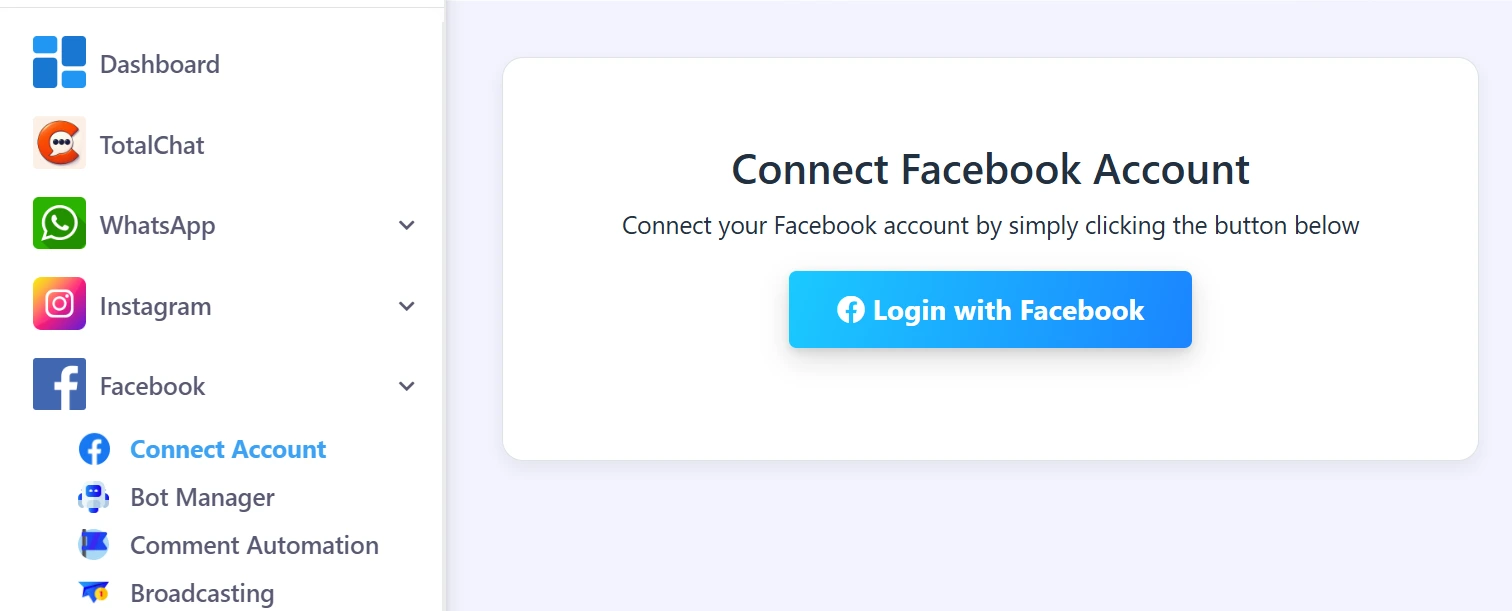
Go to the "Connect Chatbot" section in the left sidebar.
Click on the "Facebook Bot" option.
Log in with Facebook
At the top of the screen, click the Log in with Facebook button.
Make sure you are already logged into Facebook in the current tab of your browser.
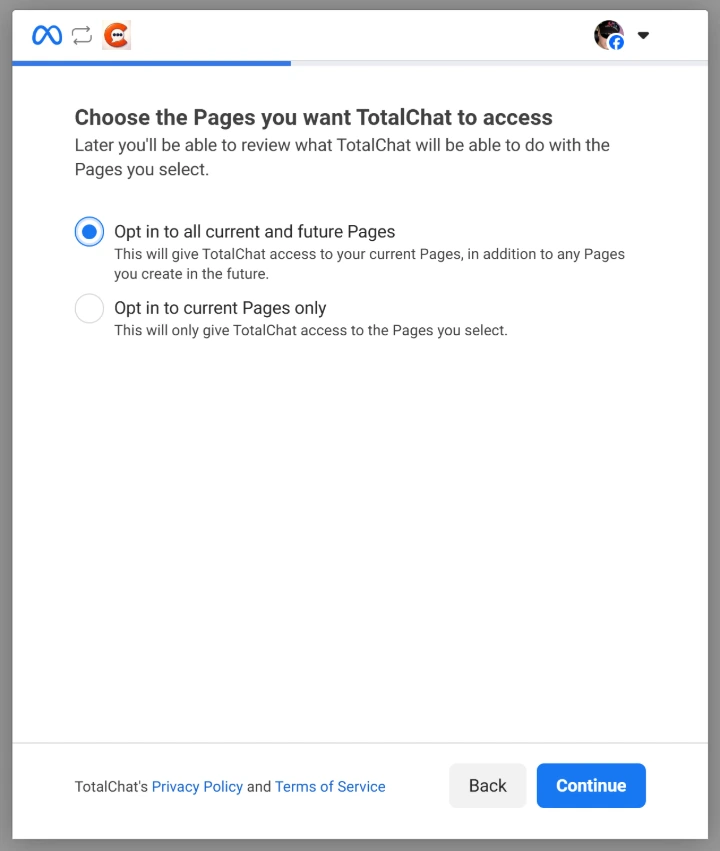
Grant permissions
Press Continue when prompted.
Choose to allow access to all current and future Facebook pages.
Select "Next" and choose all current and future businesses.
Proceed and select all current and future Instagram accounts (as needed)
Finish Connection
Press Continue and then Save to complete the process.
Your Facebook account is now linked to TotalChat, along with all associated Facebook pages and Instagram accounts.
What can you do after the connection?
Once connected, you will be able to:
- Manage all your Facebook pages directly from TotalChat.
- Develop and implement Messenger chatbots for each page.
- Access Instagram message automation if it is enabled.
Manage and view your connected assets directly from the Facebook section in your TotalChat dashboard.
Do you need personalized attention or help setting up TotalChat?
Write to us and we will be happy to assist you.