Automate your marketing through Telegram
We show you how to easily create a Telegram bot and link it with TotalChat. No technical skills required!
Why connect Telegram to TotalChat?
Create and automate powerful Telegram bots
Send mass broadcasts directly to Telegram subscribers
Manage groups, subscribers, and campaigns from a single dashboard
Increase customer engagement effortlessly
Create your Telegram bot
To connect Telegram to TotalChat, you first need a Telegram bot.
Here’s how you can easily create a bot:
Search for "BotFather" in Telegram
Open Telegram and search for BotFather.
- It is the official bot for creating bots.
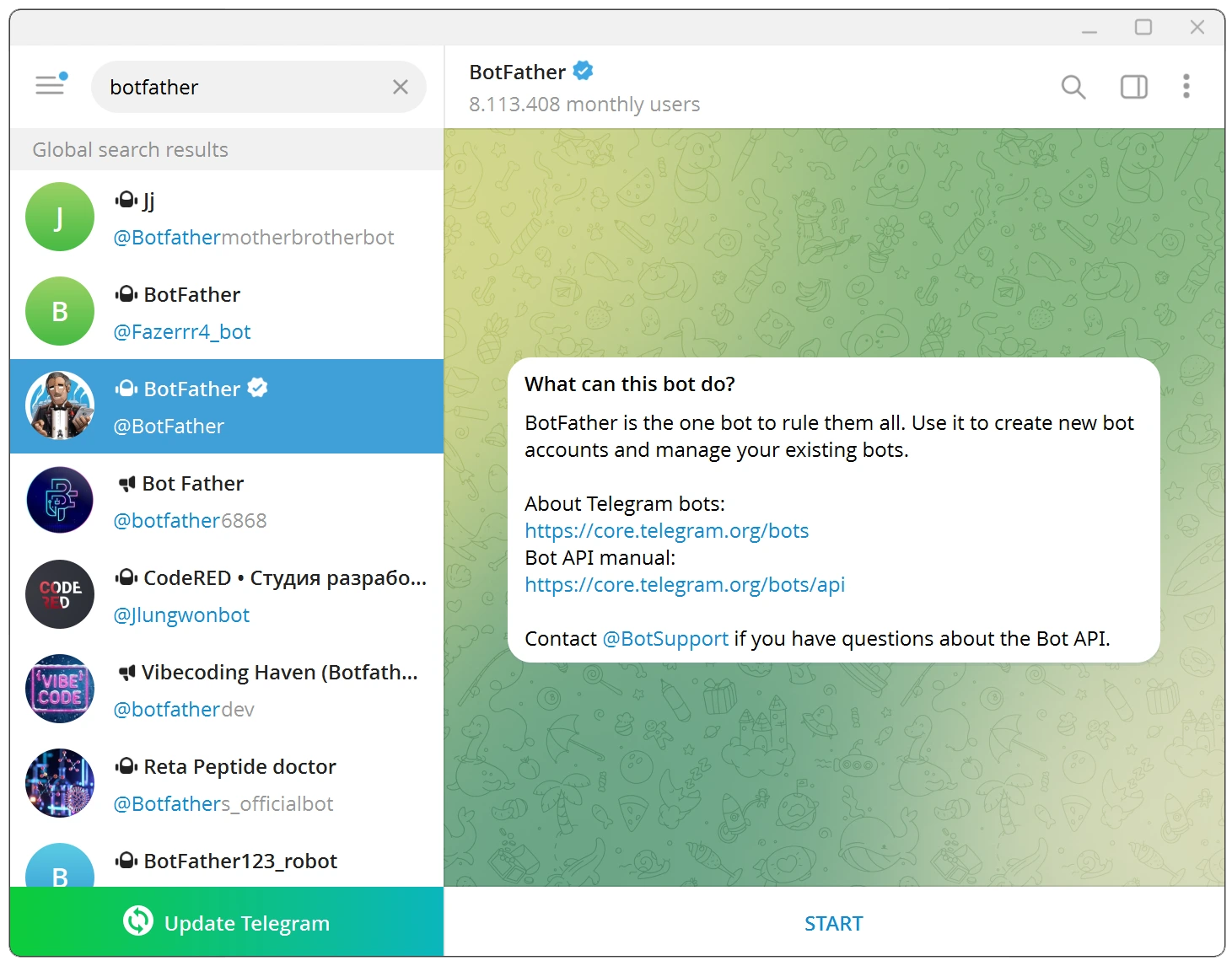
Start a chat with BotFather
Tap the Start button.
BotFather will show a list of available commands.
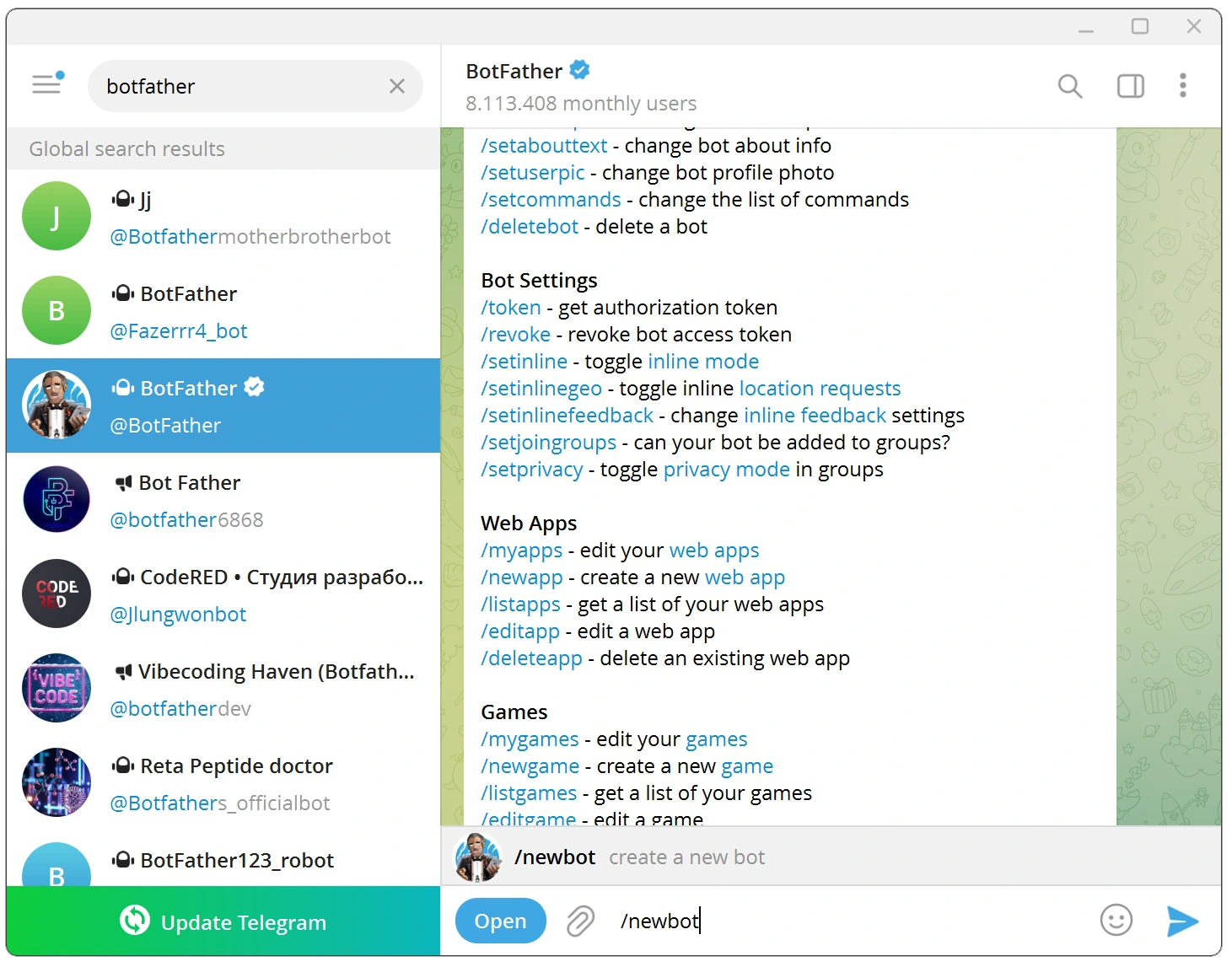
Create a new bot
Type /newbot and send.
BotFather will ask you to give your bot a name.
After that, choose a unique username that ends with bot (e.g., TotalBot).
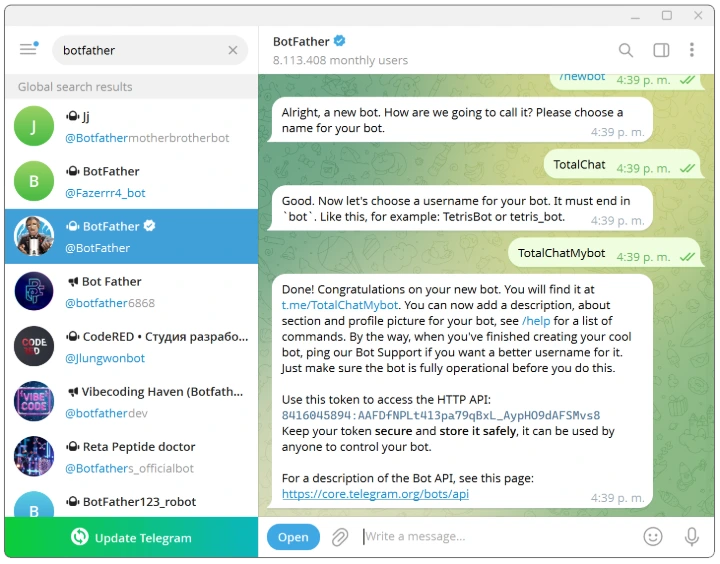
Save the Bot Token
Once you set the name and username, BotFather will generate a Bot Token.
Copy this token, you will need it to link the bot to TotalChat.
Connect your Telegram Bot to Totalchat
Now that your Telegram bot is ready, let's connect it to Totalchat.
Log in to the Totalchat Panel
Log in to your account.
Navigate to "Connect Bot" in the Telegram section
In the left sidebar menu, click on Telegram Bot in the Connect Chatbot section.
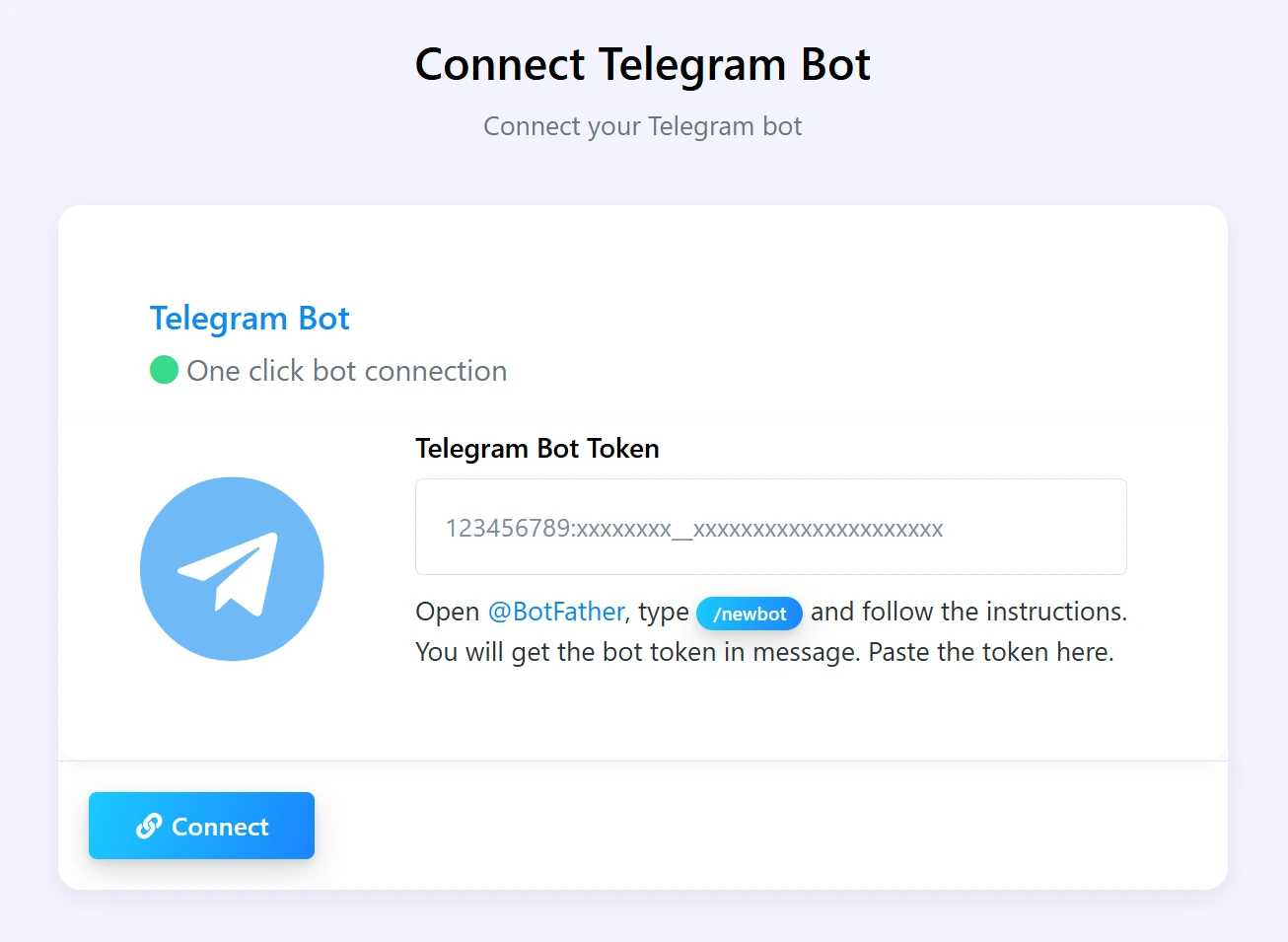
Paste your bot's token
Paste the Bot Token you copied from BotFather into the Telegram Bot Token field.
Click Connect.
Successful Connection
TotalChat will validate your token and automatically connect your Telegram bot.
Once connected, you can start creating flows, managing subscribers, sending broadcasts, and much more.
Important:
Bot Token Security: Never share your Bot Token publicly. It can be used to control your bot.
Username: Your Telegram bot's username must be unique and must end with "bot."
Permissions: Make sure your Telegram account is active and not restricted.
Do you need personalized attention or help setting up TotalChat?
Contact us and we will be happy to assist you.